
 English
 Japanese
 German
 French
 Spanish
 Vietnamese
Seeed SenseCAP T1000-E
Best for tracking people, pets, and gear.
See T1000-E details →Connect your phone to a compatible LoRa device and your group is ready to go. Don't have a device yet? Start with offline maps.
Choose a deviceInstall Nelos and tap Use the map on the first screen. You get offline maps, movement history and personal waypoints right away, free and with no account. Turn on Keep GPS on in the background (Settings → Background activity) to record your route even with the screen locked. When you have a radio, connect it in the Device tab, then follow the steps below.
Light on battery in the background: only a little over 1% battery per hour on both Android and iOS, in our real-world tests. See test conditions
Start with a device that fits how you want to use Nelos. Every option below works with Nelos.
Best for tracking people, pets, and gear.
See T1000-E details →
A great all-round choice for everyday adventures.
See Wio Tracker L1 Pro details →
A compact, weather-resistant tracker for people, pets, and gear.
See WisMesh Tag details →New to this? See how off-grid communication works and what a LoRa mesh radio is.
Already have a LoRa device? See all compatible devices
Nelos works on iPhone, iPad, and Android phones and tablets. No account required.


Power on your LoRa device and keep it near your phone. That’s it for now.
Some devices ship with different firmware and need MeshCore installed before first use - see device setup if yours does.
Set up my device →Open Nelos, tap Connect, and choose your device from the list - it connects automatically. If your phone asks for a Bluetooth PIN, check your device's screen; screenless devices usually use 123456.
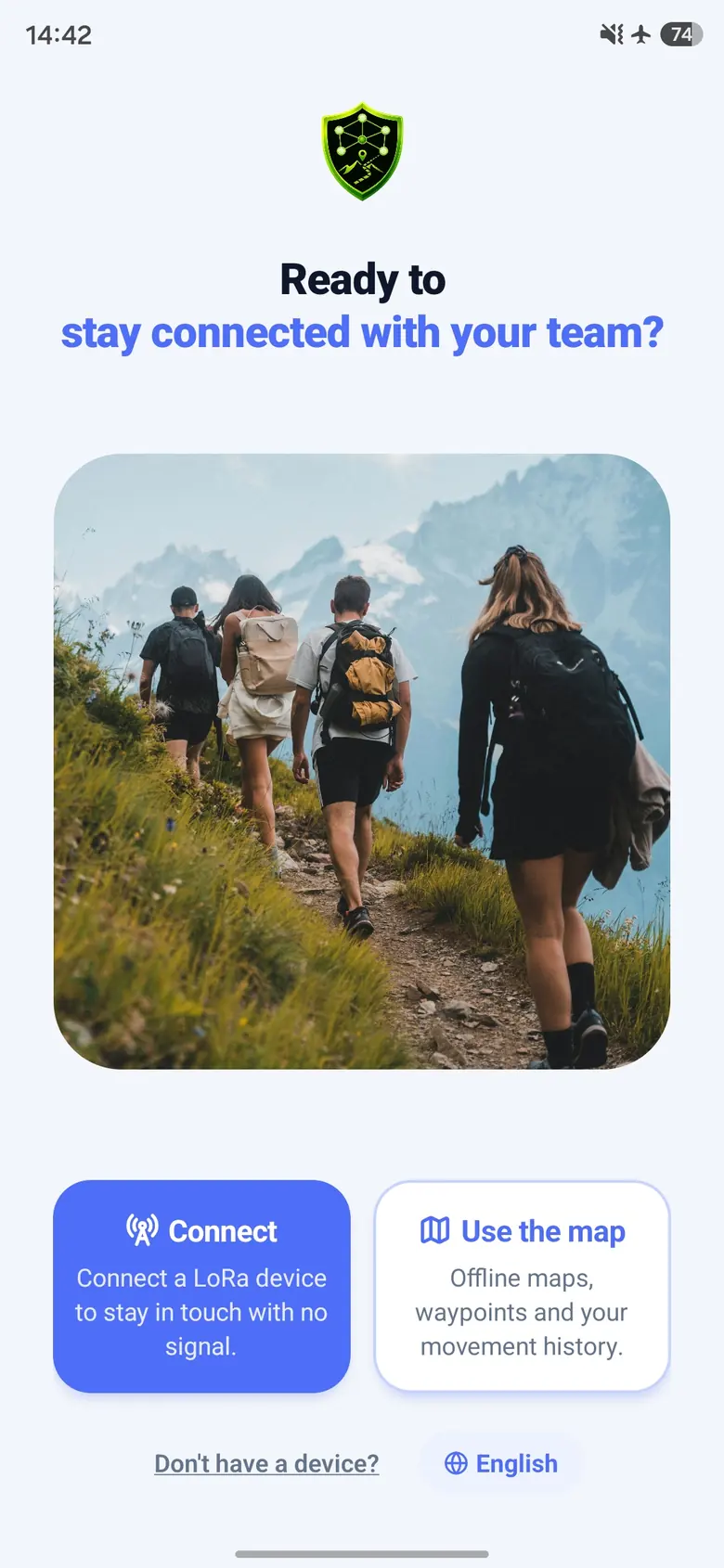
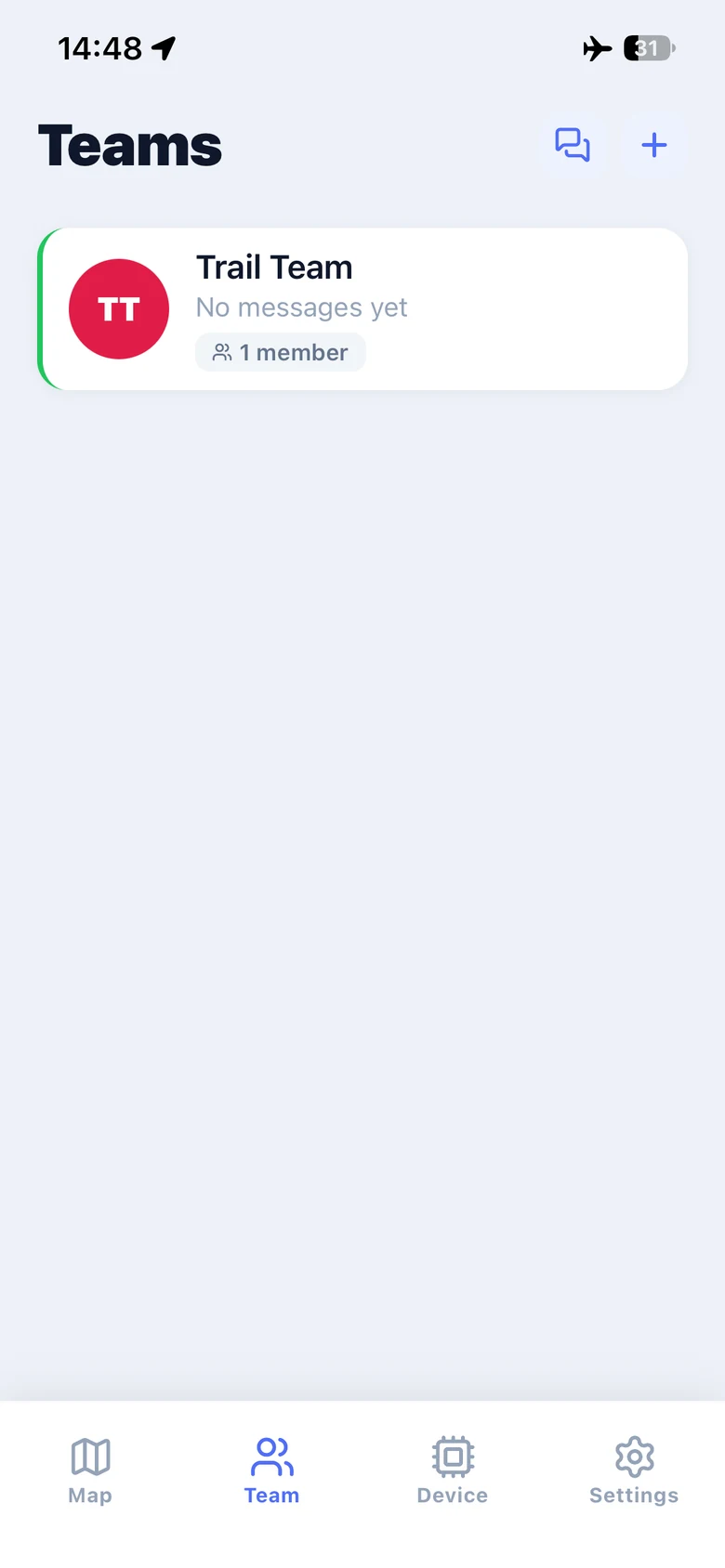
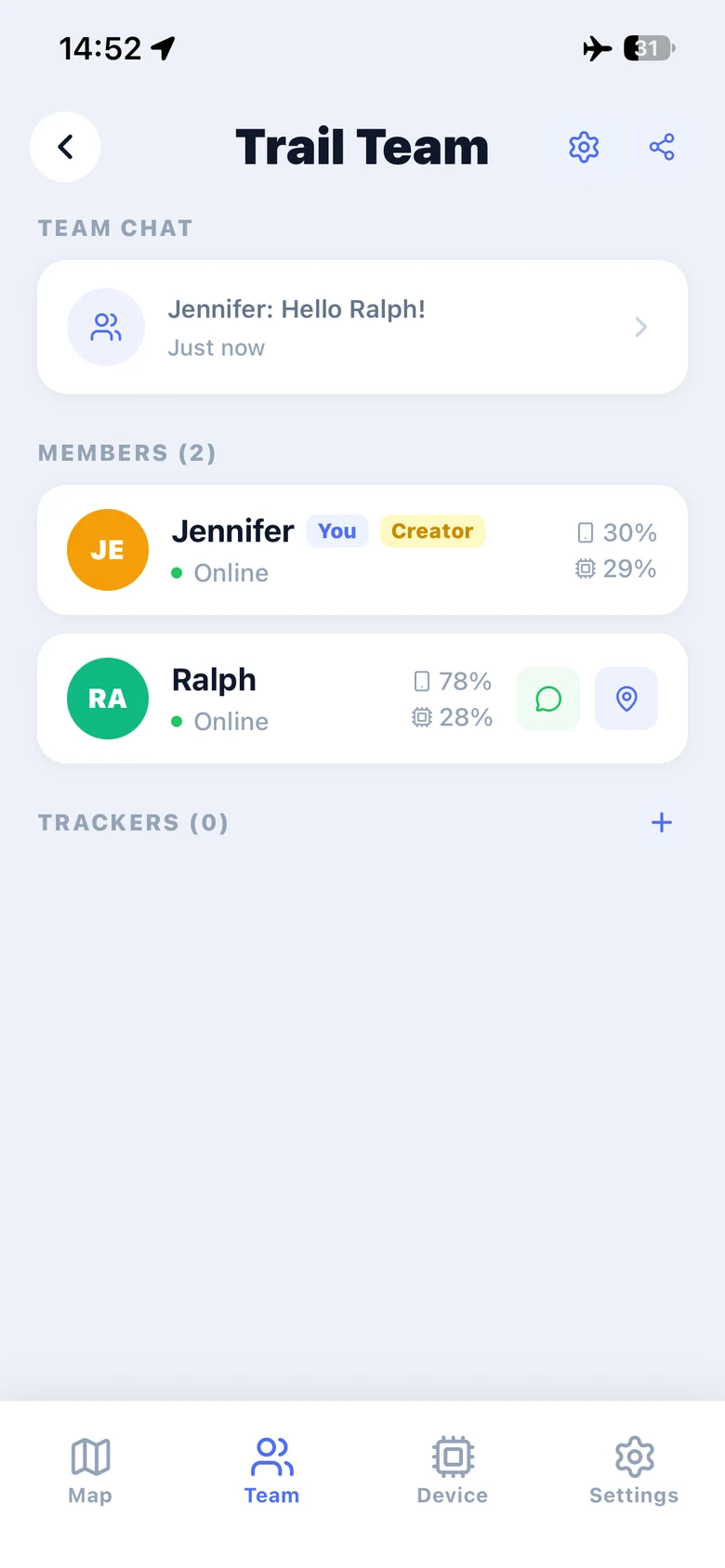
With your radio connected, open Team, tap +, then choose Create Team and give it a name. In this walkthrough, Jennifer creates Trail Team. Your new team appears in the list, ready for an invitation.
Screenshots show the English app interface. Select an image to view it at full size.
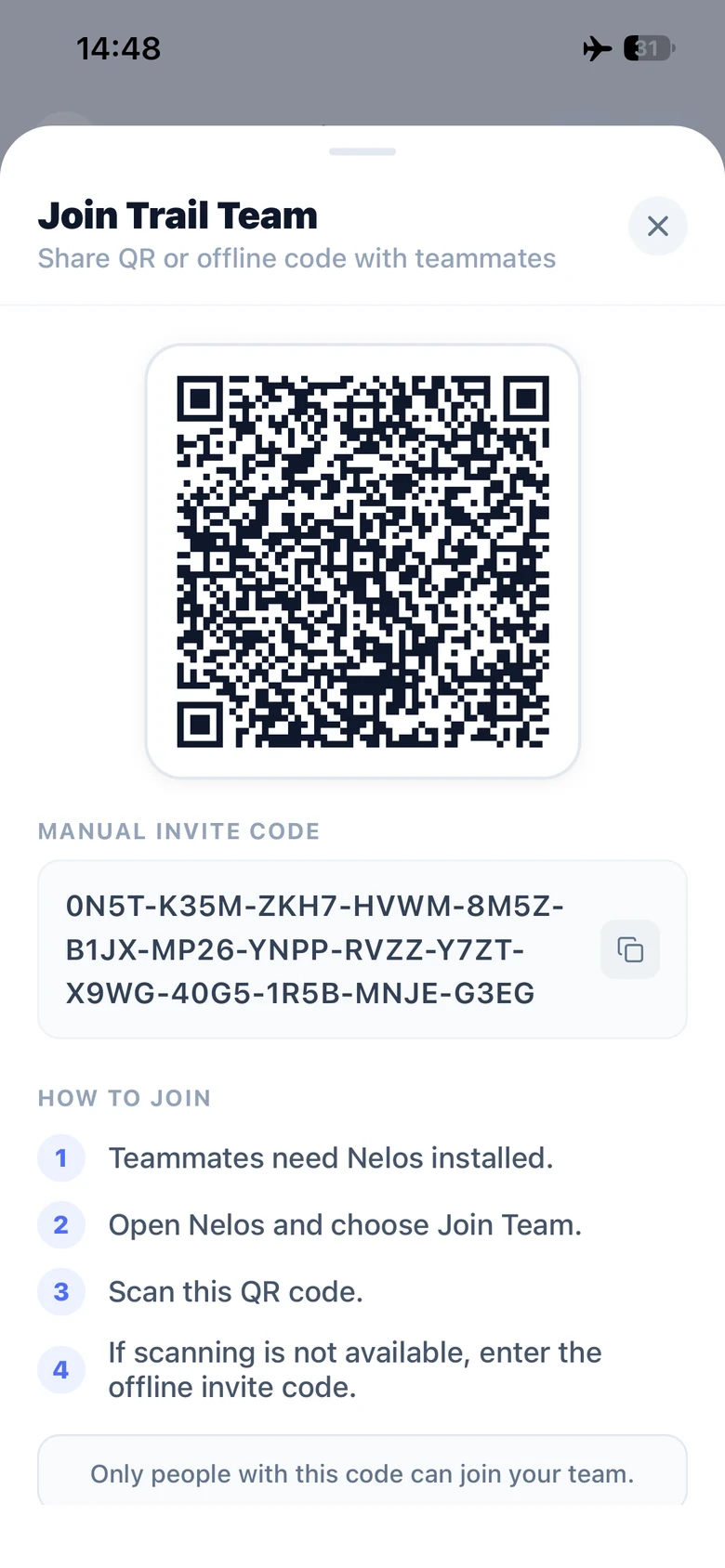
Jennifer opens Trail Team and taps the share icon at the top right to display its invitation. On his own phone, Ralph opens Join Team and chooses Scan QR or Enter Code. Use the invitation from your own team. Ralph needs Nelos and his own compatible radio to exchange messages.
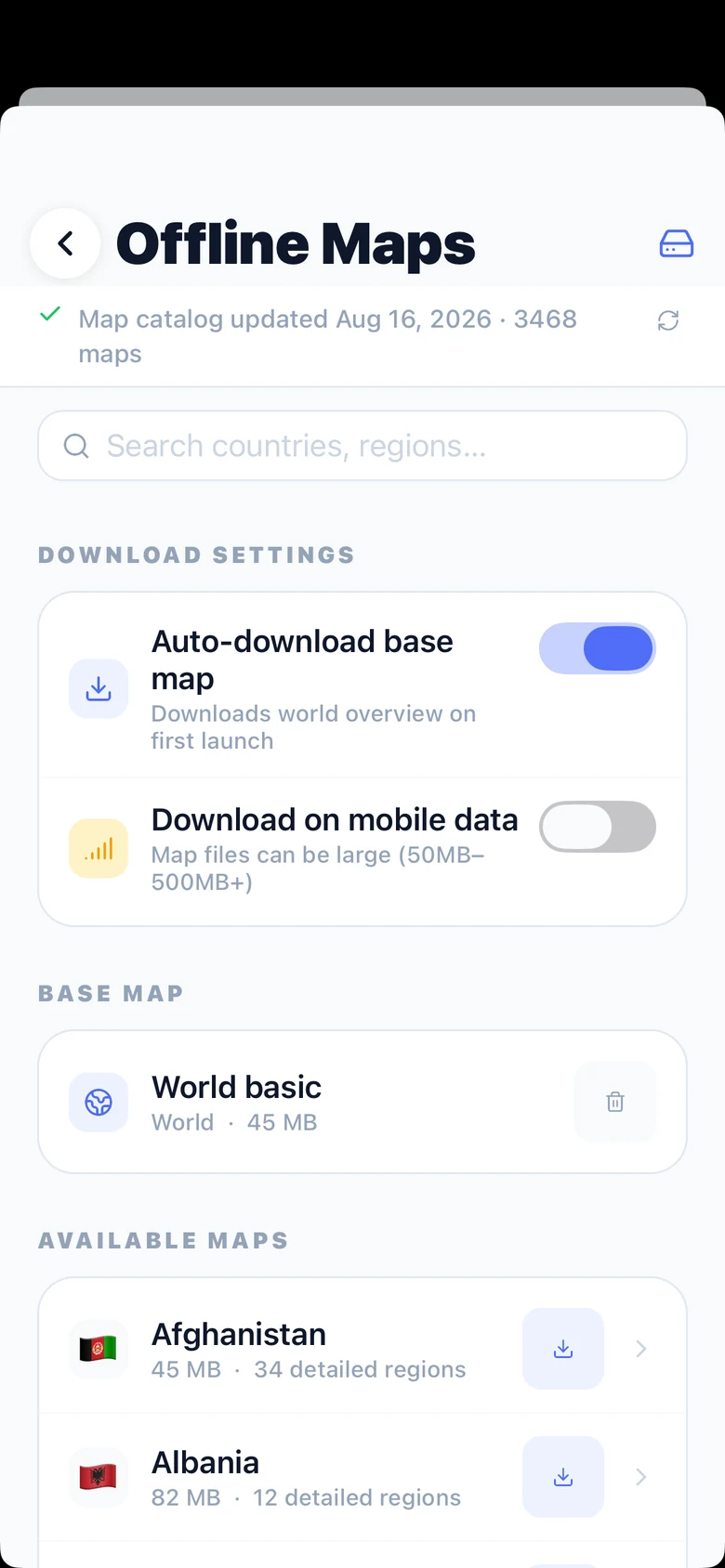
While you still have internet, open Offline Maps and search for your country or region. Download the map for your destination and wait for it to finish before you leave. The world overview map is a starting point; download the regional detail you need for your trip.
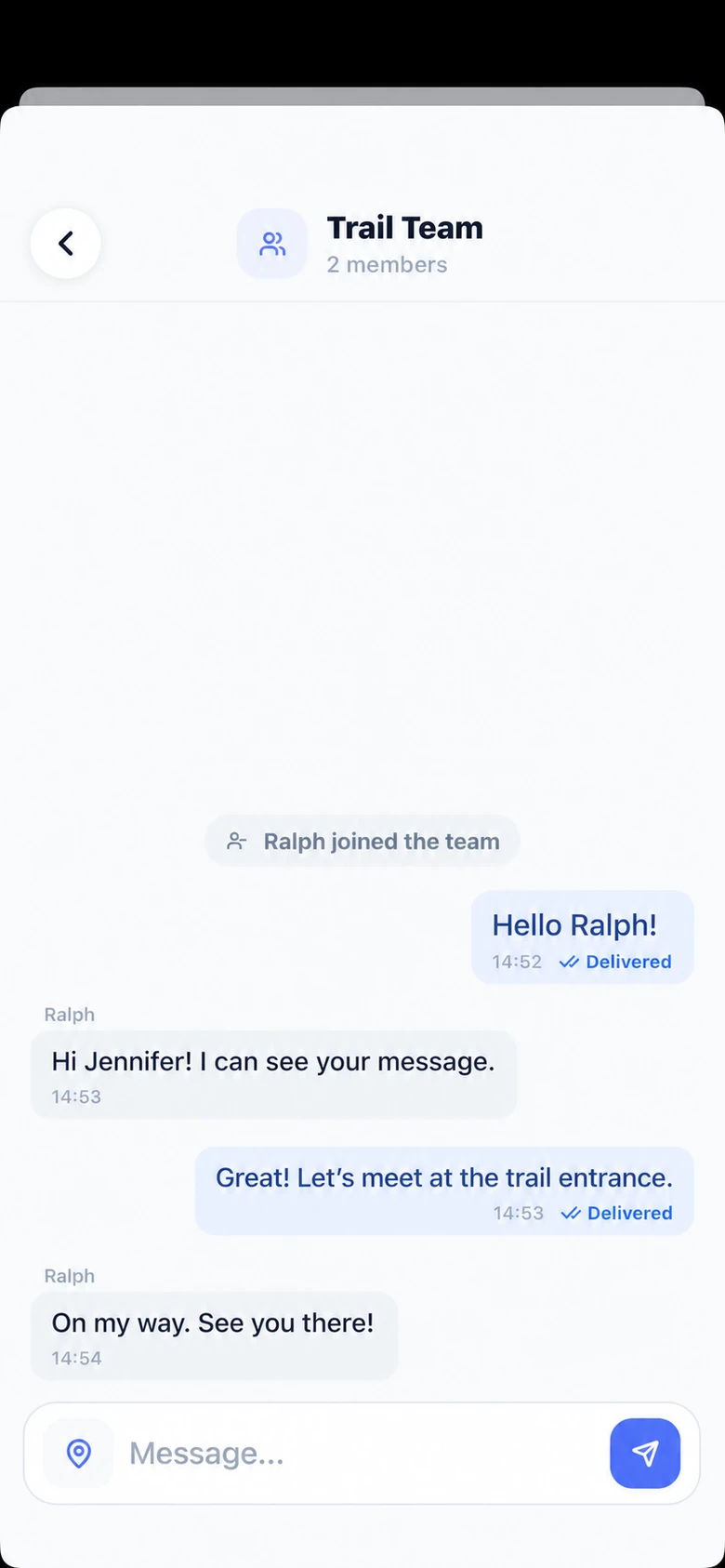
Open Team Chat from your team page and send a short test message. In the example, Jennifer sends “Hello Ralph!” and Ralph replies. Check the Delivered status, then ask your teammate to reply. To see each other on the map, enable Share Location on both phones and allow location access. Positions appear as updates arrive over the radio.
Jennifer: Hello Ralph!
Ralph: Hi Jennifer! I can see your message.
Jennifer: Great! Let’s meet at the trail entrance.
Ralph: On my way. See you there!
From here, Nelos helps your group stay together beyond cell coverage.
Nelos supports compatible MeshCore devices. Check the setup guide that matches your device.
Firmware and radio settings are only needed here, when your device needs them.